This Quake AI feature maps to Azure’s Blob Storage.
▸DigitalOcean·Space (bucket)
Space (bucket)high
Naming differs: users create a “Space” that is a bucket, and each bucket has a unique URL (virtual-hosted or path style), whereas Swift uses containers within an account namespace. ().
Bucket addressing uses S3-style endpoints such as `${BUCKET}.${REGION}.digitaloceanspaces.com` (and `${REGION}.digitaloceanspaces.com/${BUCKET}`), which differs from Swift’s account/container/object path conventions. (, ).
Access keys can be scoped to high-level permission tiers (Read, Read/Write/Delete, All) applied across buckets/objects, which differs from Swift’s typical tenant/user + container ACL model. ().
This Quake AI feature maps to Google Cloud’s Storage.
▸Hetzner·Buckets
Bucketshigh
S3 API (PUT Bucket requires specific headers like x-amz-acl limited to private/public-read, LocationConstraint); Swift uses POST/PUT Container with broader ACLs via X-Container-Read/Write.
Public access via https://bucket.location.your-objectstorage.com/object; Swift public via temp URLs or ACLs.
Up to 100 buckets per account; Swift has no hard limit.
Use the object storage console to manage buckets (called containers in OpenStack Swift CLI/API) and upload files to your cloud project.
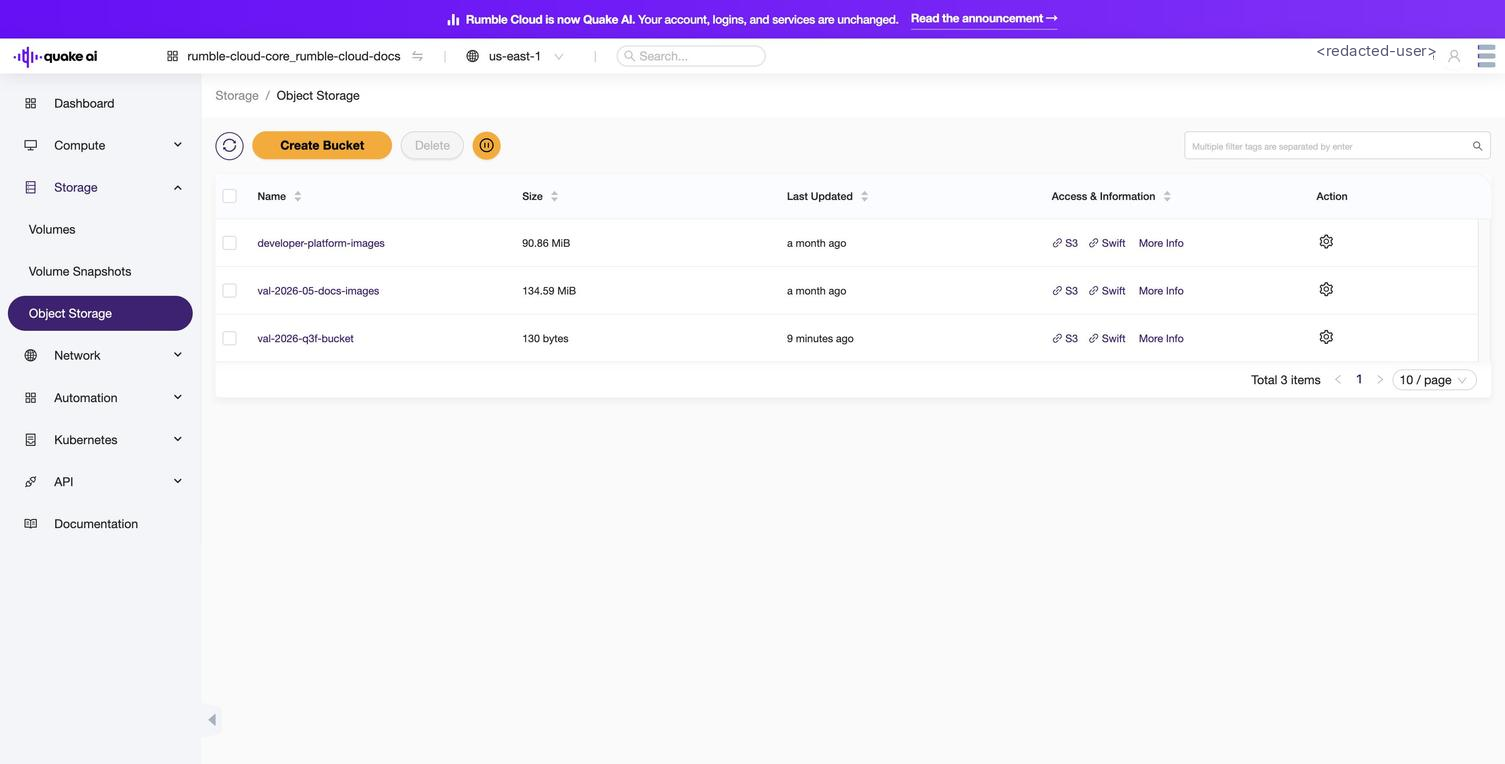
Select Storage > Object Storage to view the object storage console.
Click to zoom
Object storage console showing buckets in the current project
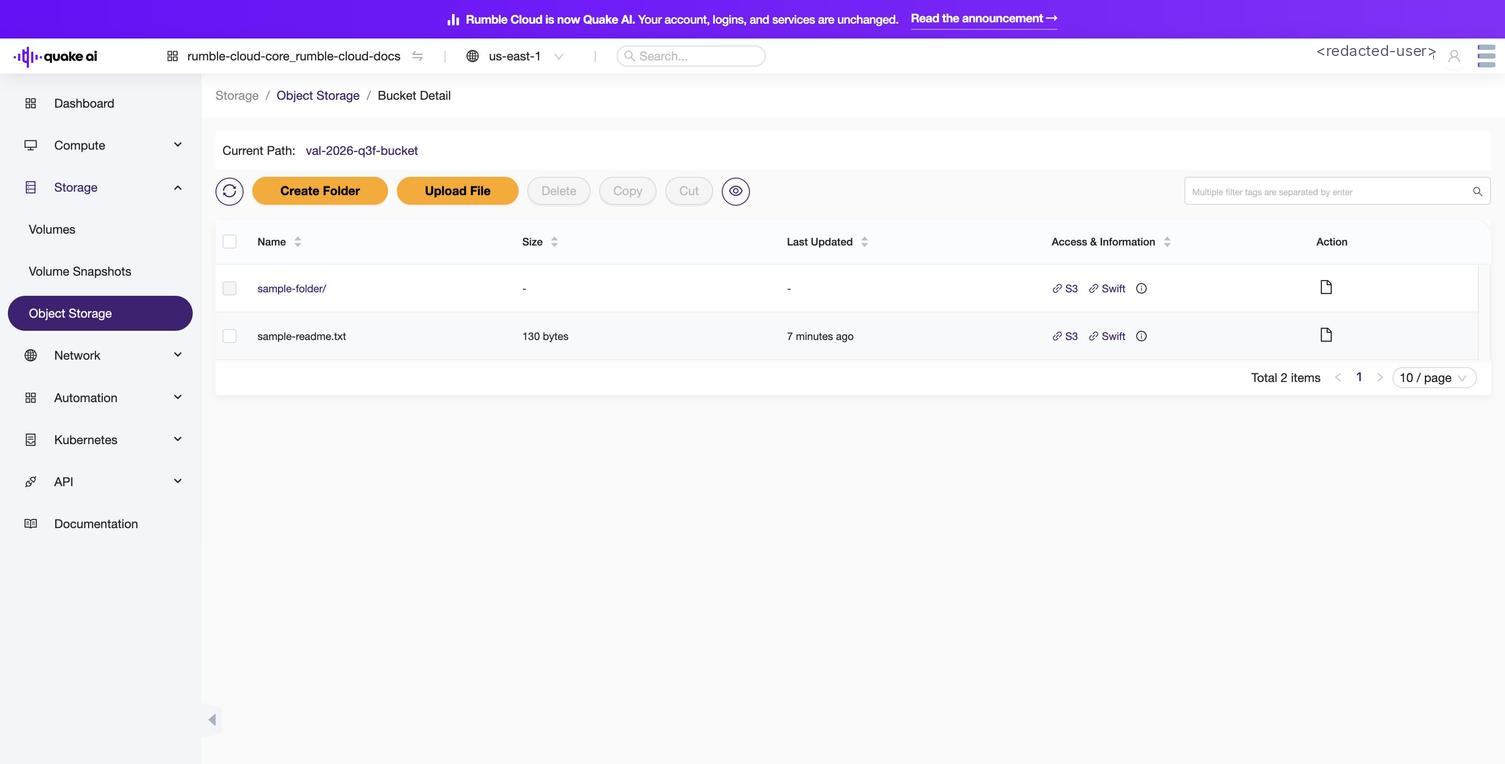
Select a bucket to view its contents including folders and objects. Select a link to a URL (if public) to view the object.
Click to zoom
Bucket detail view showing uploaded files with size and last updated date
Access control for objects can be set at the bucket level, where you can specify that contents of a bucket are public or private. If public, a URL is available to access the file (you can view the file in your browser if the file is of a type that can be viewed).
You can take the following actions.
View object information
Delete an object
Delete a folder
Delete a bucket (container)
Edit an object
Download an object
Copy an object (download a file from one container and upload it to another)
Cut an object (download a file from one container, upload it to another container, and delete the original file)
 Click to zoom
 Click to zoom