Apps console
Overview
Apps are pre-configured, installable applications that you can deploy on Rumble Cloud with a guided setup experience. The Apps console streamlines the process of provisioning a virtual machine, installing an application, and configuring access -- all in a few steps.
Select Compute > Apps to view the Apps console. The console lists all app instances in your project and lets you create and manage them.
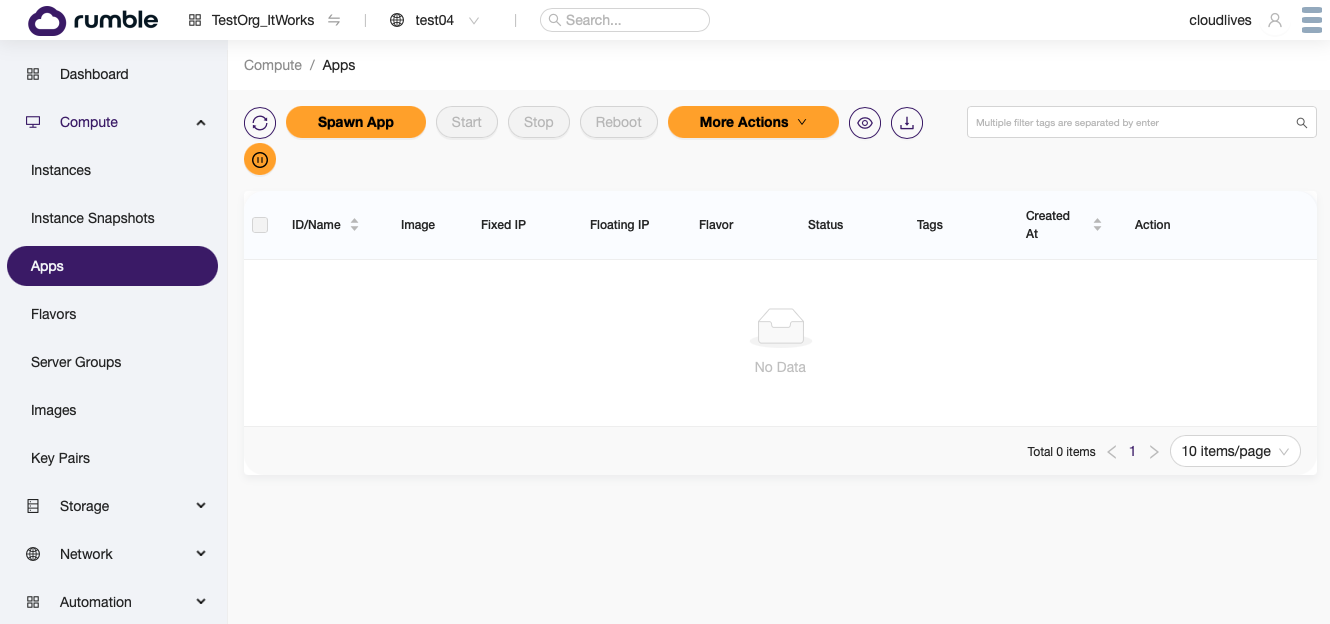
The Apps console shows a list of all app instances in a project, including each app's name, image, IP addresses, flavor, status, tags, and creation date.
You can start, stop, and reboot app instances using the controls at the top of the console.
Under the More Actions menu, you can take additional actions such as soft reboot and delete.
Spawn App
Select Spawn App to install a new application. The Rumble Cloud App Installer page lets you choose from the available apps, assign a name, and select a key pair for SSH access.
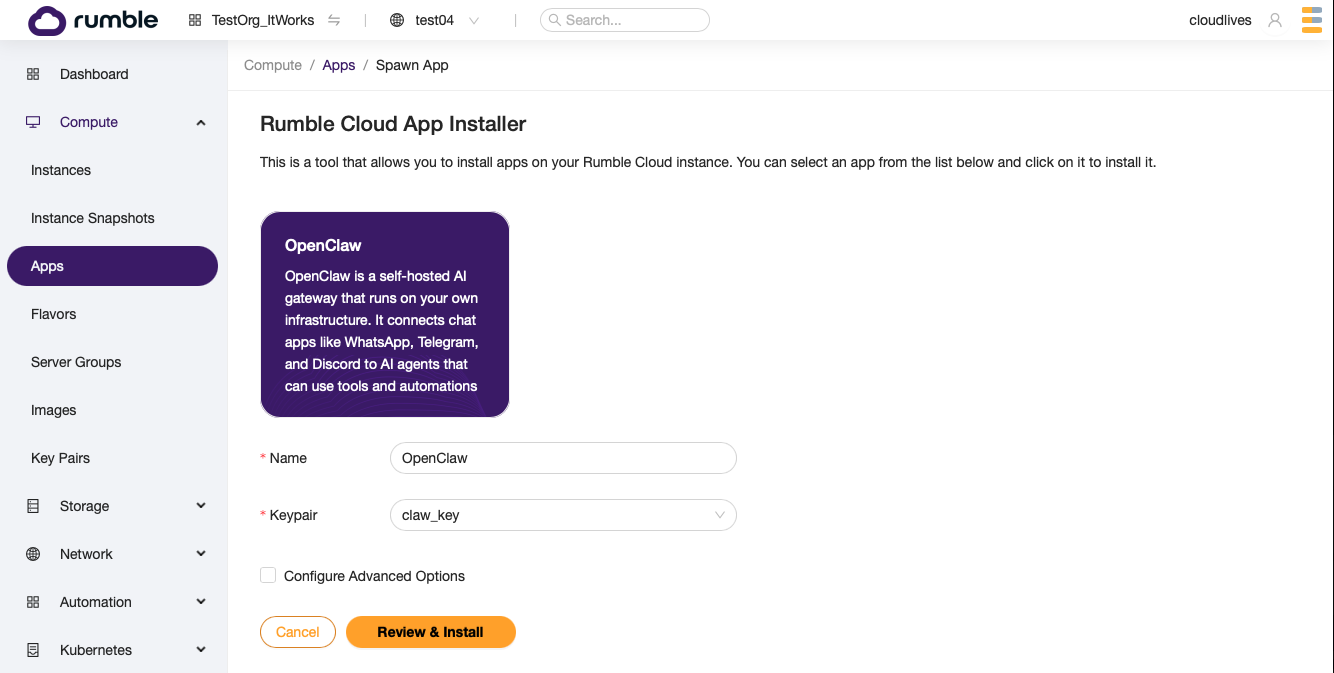
If you have not yet created a key pair, one will be created for you automatically during installation.
Each app provides recommended defaults for the VM flavor, disk size, and network configuration. To customize these settings, check Configure Advanced Options before proceeding.
Select Review & Install to see a configuration summary, then select Install to begin provisioning.

App Detail
After installation, you are taken to the App Detail page. This page provides:
- Login Information -- the username to use when connecting via SSH
- Access Information -- the IP address of the app instance (may take a moment to appear while the VM is building)
- Keypair Info -- the key pair assigned to the app
- Quick Setup Instructions -- a summary of the steps to complete the app setup
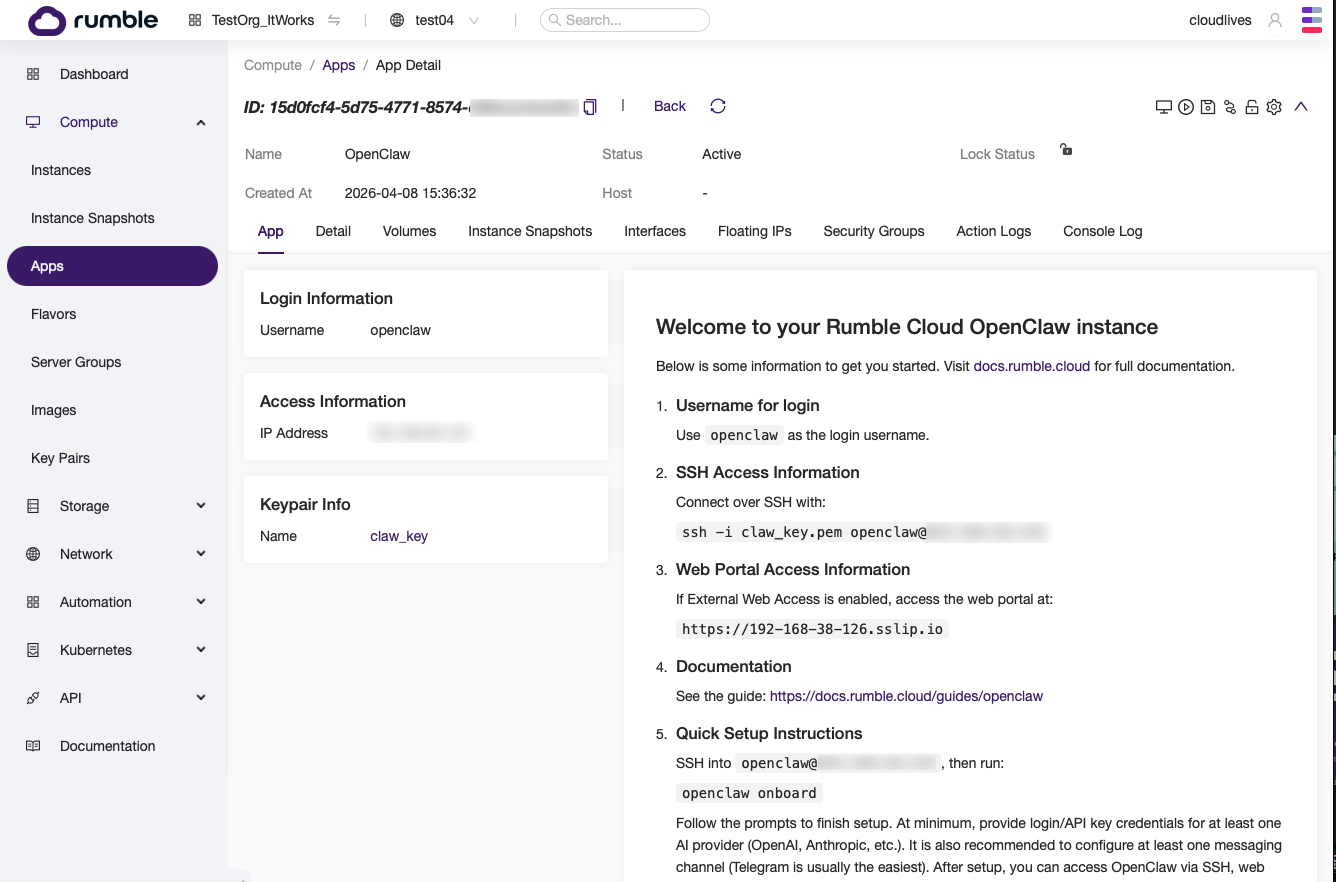
The App Detail page also provides the same tabs available on an instance detail page: Detail, Volumes, Instance Snapshots, Interfaces, Floating IPs, Security Groups, Action Logs, and Console Log.
Available apps
| App | Description |
|---|---|
| OpenClaw | A self-hosted AI gateway that runs on your own infrastructure. It connects chat apps like WhatsApp, Telegram, and Discord to AI agents that can use tools and automations. |